Configuring how your survey looks
When we first the MX8 Labs research platform, we hadn't limited configuration you could provide for your surveys. Nowadays they are configurable through the theme tab:
The style specifies whether to use a traditional web forms style or the mobile-friendly chat style:
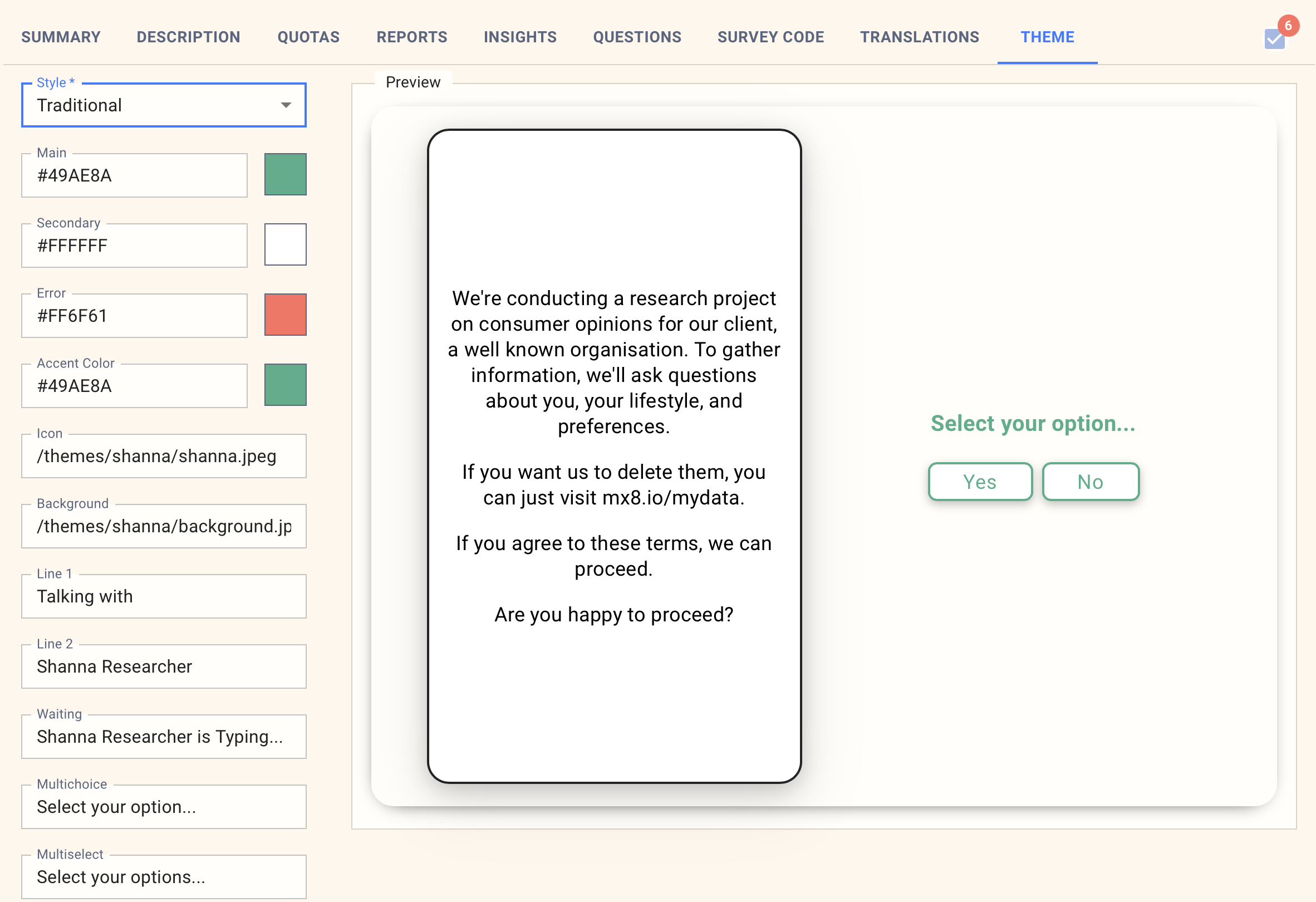
In either orientation you have the following options you can configure:
Main color - this is the primary color used as a highlight color.
Secondary - this is the background color for the text.
Icon - the icon is only shown in portrait orientation. It default to a picture of an AI generated woman called Shanna.
Background - the background image. This should be a tileable image, which means it is seamless when repeated.
Line 1 - for the portrait orientation, this is the phrase shown at the top
Line 2 - for the portrait orientation, this is the second phrase shown at the top.
Multichoice - this is the english language message shown to the user when we want them to choose one of multiple choices.
Multiselect - this is the english language message shown to the user when we want them to choose one or more of multiple choices.
Others - this is the english language message shown to the user for text based questions.
Note that any messages you enter in the theme will automatically be included in the translations for the survey.
Images
You can enter any public URL on the internet for the images, or one of the following values to use a preset:
Path | Image |
/themes/shanna/shanna.jpeg |
|
/themes/chipmunk/chipmunk.png |
|
/themes/john/john.png |
|
/themes/robo/robo.png |
|
/themes/shanna/background.jpeg |
|
/themes/chipmunk/chipmunk-bg.jpeg |
|
/themes/john/john-bg.jpeg |
|
/themes/robo/bg.jpeg |
|


